
Track Job Costs in ServiceTitan without Spreadsheets🔗
“How much did that job really cost us?” If you’re running a growing HVAC, plumbing, or roofing business, this is a question you’re probably asking every week, and the reason you’re spending hours in spreadsheets trying to answer.
For many ServiceTitan users, the process of calculating job costs still involves exporting CSVs, manually cleaning data, and building custom formulas in Excel. It’s slow. It’s error-prone. And it’s holding your team back from scaling efficiently.
But there’s a better way.
Why job costing is a critical KPI🔗
Job costing is not only a financial metric but also the heartbeat of every profitable service business.
Knowing how much each job costs, in labor, materials, and overhead, helps you set profitable pricing and spot inefficiencies across technicians, services, or locations. A dependable job costing estimate is essential for calculating marketing ROI by job type or campaign and making smarter staffing and scheduling decisions.
When job costs aren’t visible in real time, you’re flying blind and lose the ability to course-correct. Access to accurate, real-time job costing data is essential for optimizing resource allocation and maximizing revenue.
Why ServiceTitan reporting falls short🔗
ServiceTitan is a powerful operational platform. But when it comes to reporting—especially job costing—it leaves a lot to be desired.
-
Limited filters and customization: Native reports don’t always break down costs in a way that reflects how your business actually operates.
-
Limited automation: You can use automation tools like Zapier or Tray.ai to move your data in certain scenarios, but these simple, fragile data pipelines cannot keep up with the data needs of a home service business.
-
Data silos: Combining ServiceTitan and finance data is not always straightforward, making it a challenge to join job data with QuickBooks or Sage Intacct data.
-
Manual exports: To get the full picture of the operations, admins often download several CSVs and manually stitch the data together in an Excel table.
-
Time sink: Updating reports with fresh data requires hours every week, which could otherwise be used to improve processes or close new deals.
This manual reporting workflow might work for a $2 million company. But it won’t scale with a $20 million operation that manages teams distributed across[multiple locations.
What a better workflow looks like🔗
Imagine this instead:
You connect ServiceTitan (and your accounting tool) to a live data platform. Every job, every cost, every technician’s performance is tracked in real time. No manual exports, no formulas involved.
You connect your data to your BI tool of choice, like Looker Studio, Power BI, or Metabase. Your dashboards update automatically to show:
-
Job revenue vs job cost
-
Profit margin by service type or location
-
Technician profitability and efficiency metrics
-
Cost-per-job trends over time
The immediate benefit of such a setup is streamlined dashboard creation and report generation, which eliminates the need for Excel or a data team.
Real results: What contractors gain🔗
Companies that replace manual job costing workflows with real-time dashboards see measurable gains:
-
10+ hours saved each week on reporting tasks
-
Fewer errors in financial tracking and performance reviews
-
Faster insights into what’s working (and what’s not)
-
Better strategic decisions about pricing, staffing, and growth investments
Without the need for constant manual data exports and endless spreadsheet work, ops and admin teams can focus on growing the business instead of wasting valuable time on repetitive tasks.
How TitanSigma makes it happen🔗
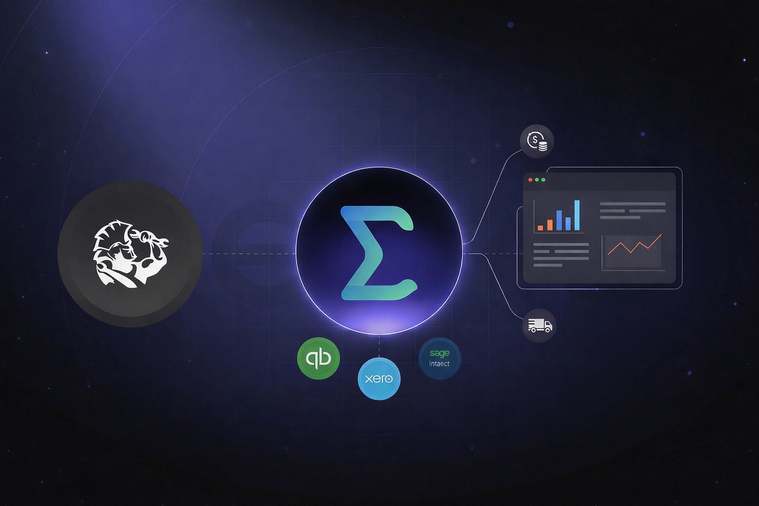
An official ServiceTitan partner, TitanSigma connects directly to ServiceTitan and your accounting tools, giving you a complete job costing picture without the usual engineering effort.
-
No-code connectors let you pull in job, invoice, and cost data from multiple systems.
-
The text-to-SQL capability allows even non-technical users to query and filter data without needing SQL.
-
TitanSigma sends consolidated data to BI tools via its ready-made connectors. This eliminates the need for manual dashboard updates, providing you with real-time figures at all times.
These capabilities make TitanSigma a perfect fit for the data needs of home service businesses. TitanSigma lowers the technical barriers for home service businesses, empowering non-technical users to build the dashboards they need without increasing headcount or the need for manual data replication.
Key takeaways🔗
-
Manual job costing slows you down: Exporting data from ServiceTitan into spreadsheets wastes time, introduces errors, and delays critical decisions.
-
ServiceTitan’s native reports are limited: Built-in reporting doesn’t offer the depth or flexibility needed to track profitability, technician efficiency, or cost breakdowns.
-
TitanSigma automates job costing in real time: With live dashboards that combine ServiceTitan and accounting data, TitanSigma delivers accurate, up-to-date insights without engineering help.
Stop copy-pasting, start scaling🔗
Home service businesses are caught between two extremes:
-
Complex, expensive data platforms built for enterprise teams and
-
Basic spreadsheets that are time-consuming and error-prone.
TitanSigma fills this gap perfectly, giving these companies a cost-effective option to manage their data. It delivers the power of real-time reporting and unified dashboards without the need for a data team or technical expertise. With native connectors for tools like ServiceTitan and QuickBooks, and an intuitive, no-code interface, it gives home service operators the visibility they need to grow, minus the engineering overhead.
Tracking job costs doesn’t have to be a manual chore. TitanSigma unifies your data and automates reporting processes so you can focus on creating value for your organization.
Ready to ditch the spreadsheets?
See our comprehensive guide on multi-location ServiceTitan reporting for a complete end-to-end roadmap that multi-location contractors can implement.
Book a demo to see how TitanSigma simplifies the way you track job costing and profitability.