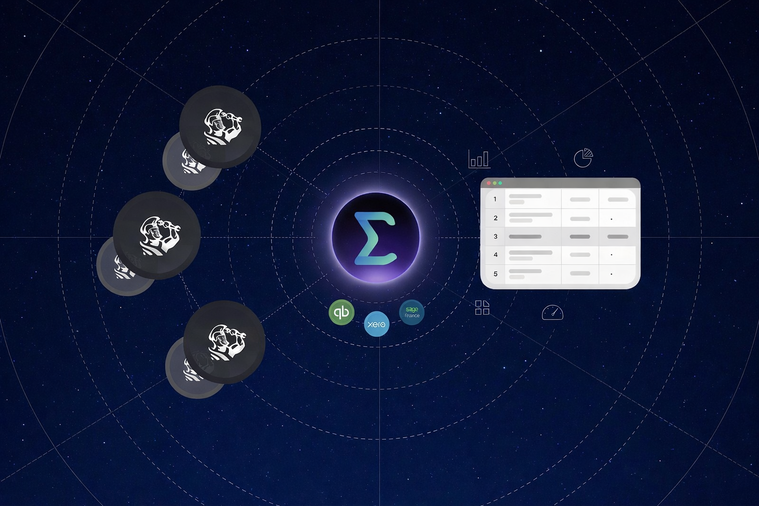

Multi-Location ServiceTitan Reporting Guide for Contractors🔗
Running a multi-location home service business is a different game than running a single branch. Once you expand into new territories or add locations through acquisition, reporting becomes more challenging, even if every team is using ServiceTitan. Job types diverge, naming conventions become inconsistent, and your reporting workflow loses its uniformity. Leaders encounter the same issues as company-wide questions turn into manual tasks, and location comparisons start to feel unreliable. This guide is written for owners, operations and finance leaders, and managers who want a faster way to understand performance across locations without living in exports and spreadsheets. It focuses on the reporting foundation that enables scale and a single view of performance across locations and accounts.
You can read this page from start to finish or use it as a roadmap. Each section highlights common issues that tend to arise as companies grow and suggests what to prioritize next. Start with multi-location and multi-account reporting if you're consolidating locations or managing multiple ServiceTitan accounts. Next, focus on finance and accounting reports if margins, job costing, AR, or location P and L reports don't align well. Use the dashboards section when you're ready to make your reporting more consistent and accessible for leaders and managers. Finally, move to the scale section if exports and spreadsheets have quietly become the primary tools for reporting.
The common thread is consistency. If definitions shift by location, rollups become misleading. If ServiceTitan and accounting drift apart, margin and cash conversations stall. If dashboards rely on fragile inputs, adoption drops. This guide is about building reporting that holds up as your footprint grows, so your team can spend less time reconciling and more time making decisions.
How to simplify reporting from multiple ServiceTitan accounts🔗
Multi-location growth is usually a sign that the business is doing something right. You have built demand, hired strong teams, and expanded into new territories. But growth also changes the way ServiceTitan data behaves. What worked when you had one branch stops working when you have five. Each location develops its own habits and even when every branch is using ServiceTitan, the structure underneath the reports is no longer uniform.
In many companies, acquisitions add a second layer of complexity. A newly acquired shop may keep its own ServiceTitan configuration for a while because changing workflows takes time. Sometimes, each location keeps its own ServiceTitan account. In some cases, a company ends up with multiple accounts because regions were set up independently in the first place. Either way, leaders quickly run into the same issue. They cannot answer simple questions without manual effort. How are we performing across the whole company this week? Which locations are improving and which are slipping? Which locations have growing backlogs? Which service lines are trending up and down by region? These should be routine questions, not special projects.
The first step is understanding what you are really trying to report on. You are not just trying to combine tables; you are trying to build a single, reliable view of the business that consolidates performance across locations and accounts, while still letting you drill down when something looks off. That requires consistency. When a KPI changes meaning by location, the overall picture becomes misleading. Job categories changing from one branch to another render comparisons unfair. A good multi-location reporting setup makes it easy to compare like with like and spot the few locations that deserve attention today.
That is why multi-location reporting and multi-account reporting belong together. Even if you operate under one brand, the day you add a second ServiceTitan account is the day your reporting becomes a data integration problem. You need a way to unify accounts, homogenize the definitions that matter, and keep the reporting structure stable as you add new branches.
The benefit is speed and confidence. Leaders can look at company-wide dashboards and trust what they see. Managers can drill into a location and act without debating whether the numbers are comparable. Finance and operations can use the same set of performance definitions instead of maintaining separate spreadsheets and versions of the truth.
To make this practical, you can think of the work in three layers:
-
Consolidate data across locations and accounts so you can see everything in one place.
-
Normalize the structure so that similar fields map cleanly and shared concepts such as locations, service lines, and job types remain consistent.
-
Standardize KPI definitions so the same metric is calculated the same way everywhere, even as teams and workflows evolve.
You do not have to perfect all of this on day one. The goal is to establish a foundation that grows with you. A few well-chosen rollups can replace hours of exports. A small set of standardized KPIs can make location reviews more productive. Over time, the entire organization becomes faster because reporting no longer becomes a bottleneck.
What this enables🔗
-
Compare locations using consistent definitions for revenue, close rate, and technician efficiency
-
See company-wide performance without stitching together exports
-
Benchmark branches and spot outliers before issues become trends
-
Support growth by adding new accounts without rebuilding reporting from scratch
Start here🔗
Go deeper🔗
-
How to List Invoice Data Across Multiple ServiceTitan Accounts
-
Listing All Jobs for an Employee in ServiceTitan Using TitanSigma
Integrating ServiceTitan and accounting data across locations🔗
ServiceTitan is the system of record for what happened in the field. It captures the calls, booked jobs, invoices, memberships, technician activity, and operational milestones that explain how revenue is created. Accounting systems capture how that activity turns into financial statements. They track deposits, payments, AR, revenue recognition, labor burden, and how everything lands in the general ledger. When your business expands to multiple locations, a gradual disconnect emerges between these two worlds. Teams end up looking at different numbers, asking different questions, and spending hours reconciling the same story in separate places.
The goal of finance and accounting reporting is not to copy ServiceTitan reports into accounting. It is to link operational activity to financial outcomes so leaders can trust margin, cash flow, and performance by location. That usually starts with job costing and profitability. A multi-location business needs to know which branches are improving gross margin, which service lines are carrying the business, and where costs are creeping in. Accurate answers to those questions depend on clean links between jobs, invoices, payments, and the accounts where those dollars are recorded.
This is where many reporting setups break down. It is easy to produce a revenue number. It is harder to produce a revenue number that ties to accounting, stays consistent across branches, and can be explained without spreadsheets. Common friction points show up in the same places:
-
Deposits and partial payments that live in different stages across systems
-
AR aging that does not match operational reality because of timing and posting differences
-
Job costs that exist in practice but are not consistently attributed by job, location, or service line
-
Location P & L reporting that gets distorted when different branches post costs to different accounts
-
Membership revenue that looks healthy operationally but is unclear financially without consistent mapping
A strong finance reporting foundation makes those issues visible and fixable. It gives you a single reporting layer where finance can trust the totals and operations can understand the drivers. It also reduces the recurring reconciliation work. When the link between ServiceTitan and accounting is stable, the monthly closing process becomes smoother, location leaders have clearer accountability, and executive reviews shift focus to decision-making rather than debates over data accuracy.
For contractors operating in multiple locations, this is especially important because leadership requires two perspectives simultaneously: Comprehensive company-wide reports and detailed insights by location. Consistency over time is also crucial. If one branch changes how it categorizes jobs or how it uses a GL account, comparisons break, and trend lines become misleading. That is why finance reporting is as much about standardization as it is about integration. Your best dashboards are only as reliable as the underlying definitions and mappings.
If you want a practical way to approach this, start by choosing a small set of finance questions that the business needs every month. Examples include gross margin by location, job cost by service line, AR by location, and revenue split between one-time jobs and memberships. Then, work backward to identify which ServiceTitan objects and accounting records are needed to answer each question. Once that foundation is established, you can expand into deeper reporting such as marketing ROI tied to revenue, technician efficiency tied to margin, and forecasting that reflects both backlog and cash.
Start here🔗
Go deeper🔗
Tracking metrics without a data team🔗
Dashboards are where reporting becomes usable. They turn raw tables and one-off exports into a shared operating picture that leaders can review weekly, and teams can use daily. For multi-location contractors, dashboards are essential because your questions are rarely limited to one branch. They provide a comprehensive view of the entire company, the ability to drill down into specific locations that need attention, and insights you can act on., Many ServiceTitan users try to solve this by building more reports inside ServiceTitan. That works for quick checks, but it rarely solves cross-location visibility. It also makes it difficult to integrate operational data with finance, marketing, and workforce inputs that live elsewhere. BI tools like Power BI, Looker Studio, and Metabase are built for this kind of work. They give you flexible charts, reusable filters, and a way to keep executive views and manager views aligned. The catch is that BI tools are only as good as the data feeding them. If each location exports different spreadsheets, the dashboard becomes inconsistent. If definitions are inconsistent, the dashboard creates disagreement rather than decisions.
Once the purpose is clear, the next step is making dashboards easy to maintain. This is where many teams get stuck because they assume they need a data team to build and support reporting. In reality, what’s needed is a reliable connection between ServiceTitan and your BI tool, with a stable structure that supports location rollups and drilldowns. That structure should handle multiple ServiceTitan accounts, standardize the key fields that affect reporting, and refresh on a schedule that matches how you run the business. When those pieces are in place, adding a new dashboard is no longer a complex engineering task. It’s simply about choosing the right dataset, applying consistent definitions, and building views tailored to different roles.
It also helps to think of dashboards as part of the operating rhythm of the company. A daily view can highlight capacity and backlog issues early. A weekly review can start with company-wide trends and then narrow down to location outliers. A monthly view can tie operational performance to financial outcomes. When your dashboards are designed around real decisions, adoption becomes easier. People use the dashboards because they answer questions that matter, not because they exist.
Finally, it is worth choosing BI tools based on who will use them, their technical skills, and the level of IT involvement. Power BI is common in organizations that want deeper modeling and enterprise distribution. Looker Studio is popular for lightweight sharing and quick visibility. Metabase is often favored for simple exploration and operational analytics. The tool matters, but the foundation matters more. When ServiceTitan data is unified and standardized across locations, your dashboards stop being a project and start being infrastructure.
Start here🔗
Go deeper🔗
What breaks at scale with exports and spreadsheets🔗
Exports and spreadsheets are the default reporting system for many ServiceTitan users. Initially, they feel flexible. You can pull a report, add a few formulas, and answer the question in front of you. This method can work when you have one location, a small team, and a narrow set of metrics. Once you grow, the same approach turns into a recurring operational tax.
The first thing that breaks is time. A weekly report that took one or two hours becomes a half-day routine. Someone has to export multiple reports, clean up columns, fix naming mismatches, and merge tabs across locations. Then the same tasks repeat next week, even when nothing fundamental has changed. As the business adds branches, the workload grows linearly. As the business adds new metrics, it grows even faster. People start simplifying reporting to save time, which means leaders get less detail right when they need more.
Trust is the second casualty. Spreadsheets are easy to modify and hard to govern. Two people can generate the same exports and end up with different numbers because they filtered differently, used different formulas, or updated a mapping table in different ways. Errors do not show up loudly. They show up as quiet inconsistencies that surface in meetings. This creates a pattern where teams spend time arguing over numbers instead of solving problems. It also makes it difficult to standardize KPIs across locations because the definitions live in someone’s sheet, not in a shared reporting layer.
The third issue is the loss of consistency across locations and over time. When each site reports data differently, the overall figures become unreliable because teams develop their own ways of record-keeping and data entry. The spreadsheet logic must adapt to these changes, but often it does not. Consequently, many rapidly expanding contractors end up with dashboards that appear impressive but lack reliability from month to month. The input data keeps changing, and the spreadsheets can't maintain consistent definitions. At this stage, teams often try to solve the problem with an integration tool. Some choose Zapier because it is easy to start with and supports many apps. Some choose Tray.ai because it can handle more complex workflows.
While these tools can be useful for operational automation, they are not designed to become your reporting layer. They move data from point A to point B, but they don’t ensure data consistency across multiple ServiceTitan accounts. They do not give you a reliable way to normalize data, standardize KPIs, and feed BI dashboards with a stable structure. That’s why choosing the right integration tools is crucial. If you choose tools that are built for workflows, you still end up doing reporting work in spreadsheets. If you choose a reporting foundation, exports become the exception rather than the operating system.
A more scalable strategy starts with one decision. Stop treating reporting as a weekly project and consider it as shared infrastructure. That means unifying ServiceTitan data across accounts and locations, using consistent definitions, and delivering data to the tools your team uses for decisions. When you do that, you replace repetitive manual work with a system that keeps running as you grow. Exporting data remains an option for quick checks, but it's no longer essential for understanding your business.
Start here🔗
Go deeper🔗
Conclusion🔗
Multi-location reporting problems rarely stem from a lack of effort. They come from growth. More locations, more workflows, more accounts, more edge cases. When reporting is built on exports and spreadsheets, the cost shows up in predictable ways. Time disappears into weekly routines, trust erodes as definitions diverge, and dashboards start to look polished while becoming less reliable month to month.
The solution is to treat reporting as shared infrastructure. This involves consolidating data across different locations and accounts, enabling leaders to view the entire business in one unified perspective. Normalizing and standardizing the data structure ensures that comparisons are fair and repeatable. Additionally, linking operational activities to accounting results helps ground discussions about margin, job costing, and cash flow in consistent records. Once this solid foundation is established, creating BI dashboards becomes simpler to develop, easier to maintain, and significantly more effective within the weekly business cycle.
What to do next🔗
For a practical next step, choose a company-wide question you want answered in minutes, not hours. Examples include performance by location this week, gross margin per branch, or areas where backlog is increasing. Use the linked posts in each section to follow a reliable process. Start with a consolidated view, lock down a small set of consistent KPIs, and publish dashboards that match how your teams review performance. Over time, you can expand coverage without rebuilding the foundation each time.
There is a place for data exports, especially when a quick check is needed, but they should not serve as the main reporting system for a growing business. As reporting becomes more consistent, integrated, and repeatable, each location review speeds up, finance reviews become smoother, and leadership meetings become more actionable.