
Validating Revenue by Technician with ServiceTitan & Xero🔗
Technician scorecards get complicated the moment someone asks, “Is that revenue actually posted in Xero?” You can measure productivity in ServiceTitan all day, but finance will hesitate if the dollars are not validated in accounting.
This walkthrough ties performance to proof. You will build a revenue-by-technician view in ServiceTitan, then verify that the underlying invoices exist in Xero Accounting and have matching amounts. That way, your leaderboard reflects real, posted revenue, not just operational activity.
In TitanSigma, you can run this check on demand and reuse it each period, so ops can coach with confidence and finance can trust the numbers.
Technician Performance with Revenue Validation in 4 Simple Steps🔗
Once ServiceTitan and Xero data are in TitanSigma, you can run the view in a few steps.
Step 1: Start a New Query🔗
Open your TitanSigma workspace and create a new query. Choose the AI|GPT section to use the natural language interface.
Pro tip: New to TitanSigma queries? Check out our comprehensive guide to get up to speed.
Step 2: Ask in Plain English🔗
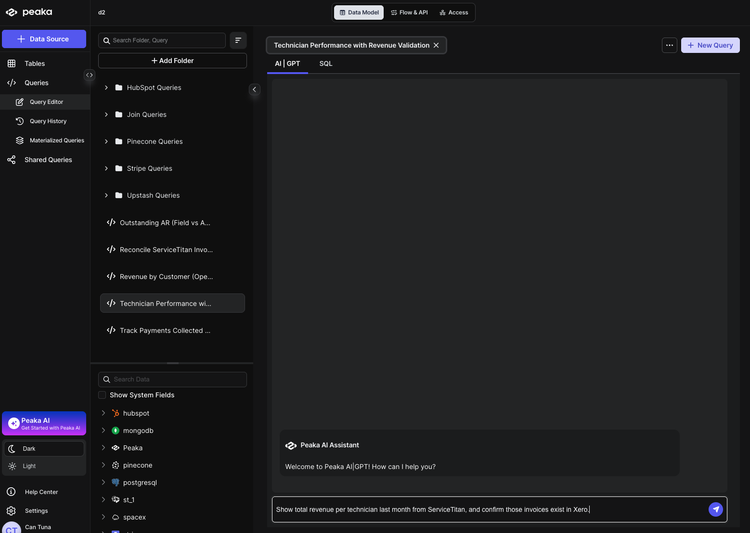
Enter your request in natural language. For example:
Show total revenue per technician last month from ServiceTitan, and confirm those invoices exist in Xero.
Step 3: Select Your Data Sources🔗
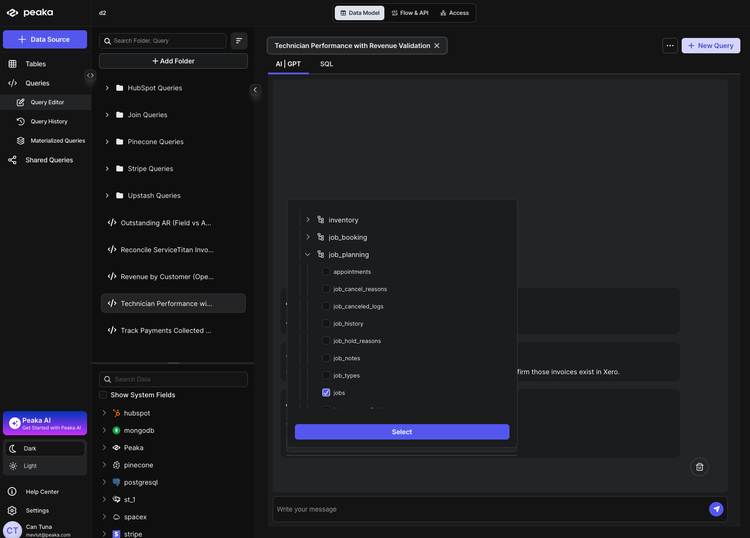
TitanSigma will suggest the relevant tables. For this view you'll typically use:
ServiceTitan
- Jobs —
your_service_titan_connection > job_planning > jobs - Technicians —
your_service_titan_connection > settings > technicians - Invoices —
your_service_titan_connection > accounting > invoices
Xero Accounting
- Invoices —
your_xero_connection > accounting > invoices
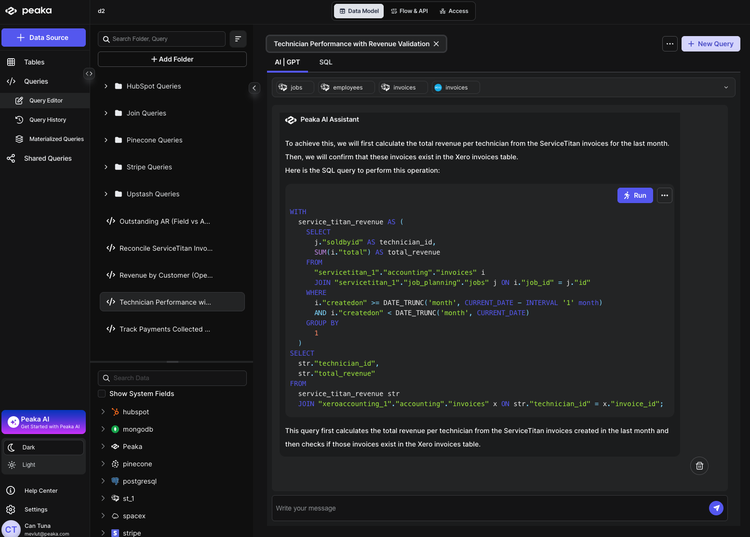
The logic: link Technician → Jobs → Invoices in ServiceTitan (by TechnicianId and JobId), aggregate total revenue per technician, then match ServiceTitan.InvoiceNumber to Xero.InvoiceNumber to confirm each invoice exists in Xero—and flag revenue missing in accounting.
Step 4: Execute and Analyze🔗
Run the query. TitanSigma generates the SQL and returns a result set showing total revenue per technician from ServiceTitan and whether those invoices exist in Xero.
Use the output to quickly spot:
- Revenue per technician — total invoiced in ServiceTitan last month by technician name.
- Invoices confirmed in Xero — same invoice number present in both systems; revenue is validated for accounting.
- Revenue missing in accounting — ServiceTitan invoices (and their revenue) with no matching Xero invoice; follow up for booking or sync issues.
Conclusion: Scorecards you can stand behind🔗
Technician dashboards are motivating when people trust them. They become noise when the revenue is not anchored to accounting records.
This guide connected performance reporting to invoice validation so the numbers hold up in reviews, coaching, and comp conversations. It also surfaces process drift early, such as workflows that produce invoices that never land correctly in Xero.
Our ServiceTitan reporting guides show you how you can streamline your ServiceTitan workflows:
-
How to Reconcile ServiceTitan & Xero Invoices (Step-by-Step)
-
Track Payments Collected vs Deposited in ServiceTitan & Xero)
-
How to List Invoice Data Across Multiple ServiceTitan Accounts
-
Listing All Jobs for an Employee in ServiceTitan Using TitanSigma
If you are looking for a more comprehensive solution, check out our guide on multi-location ServiceTitan reporting.
Book a quick demo and see how TitanSigma can help simplify ServiceTitan reporting for you and your clients.